What Claude is, in property management terms
Claude is an AI assistant made by Anthropic. You give it text and files, and it reads them and writes back. For a property manager, that means it can read a closed owner statement and draft the update, read a resident's message and draft the reply, or read a lease and pull out the clause you asked about. It does the reading and the first draft. You keep the decisions.
It does not run your office by itself. Out of the box it knows nothing about your owners, your approval limits or your state. It cannot see your property software unless you connect it or hand it a report. And like every tool of this kind, it can state something false in a confident voice, so anything that leaves your office needs a person reading it against the source.
If you are still deciding between tools, read ChatGPT or Claude for property management first. The short version is that your firm should use whichever one it already pays for and will open every day. This guide is for firms that have landed on Claude and want to get real work out of it this week.
Which plan, and who owns the account
Account ownership is the first thing to settle, and it matters more than most feature comparisons. If a coordinator builds your owner update setup in a personal account and then leaves, the setup leaves too. For company work, use a company workspace such as Claude Team, so the firm controls who has access and keeps the work when someone moves on.
A paid plan is the sensible baseline for regular work, mainly for the stronger models and higher usage limits. Plans and limits change often, so check Anthropic's pricing page on the day you buy. That page listed model training on Claude Team as off by default when we checked on 1 November 2026. Read the current terms for the plan you choose, then decide what your firm puts in. If you have no written rules yet, the AI policy template is short and worth doing in the same week.
Set up one Project for one job
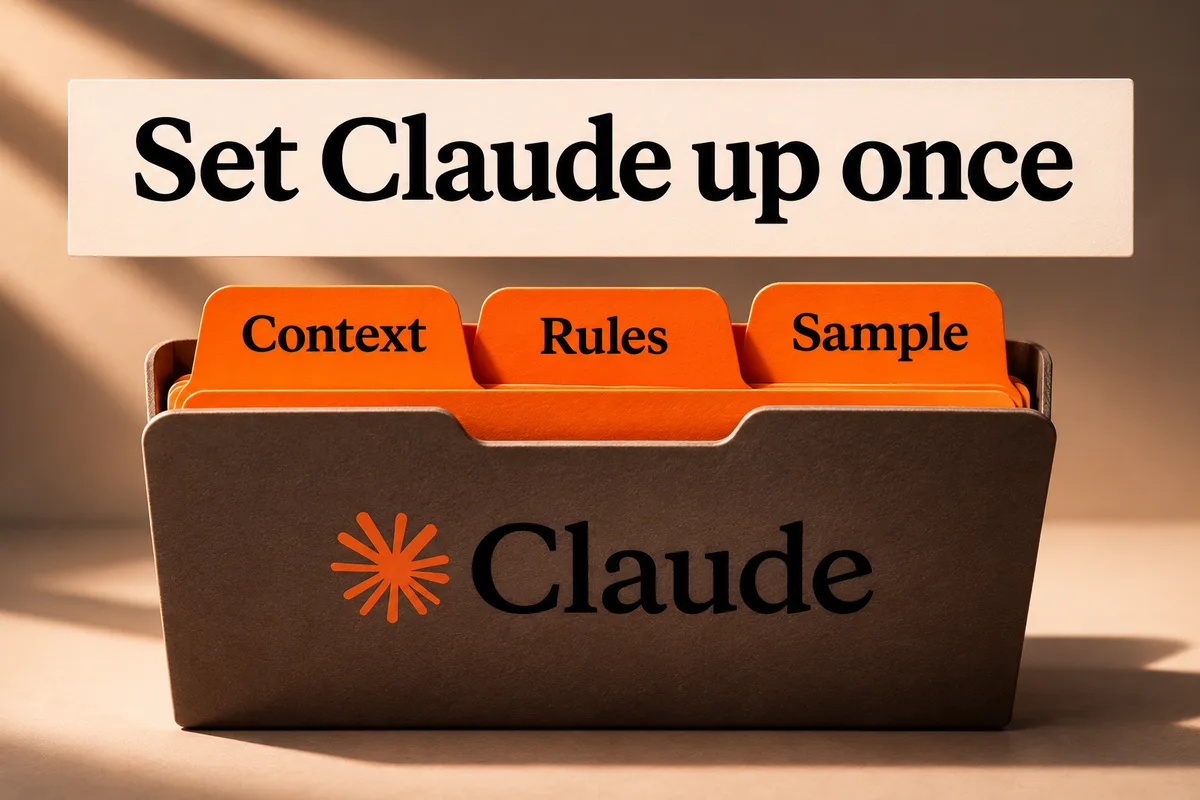
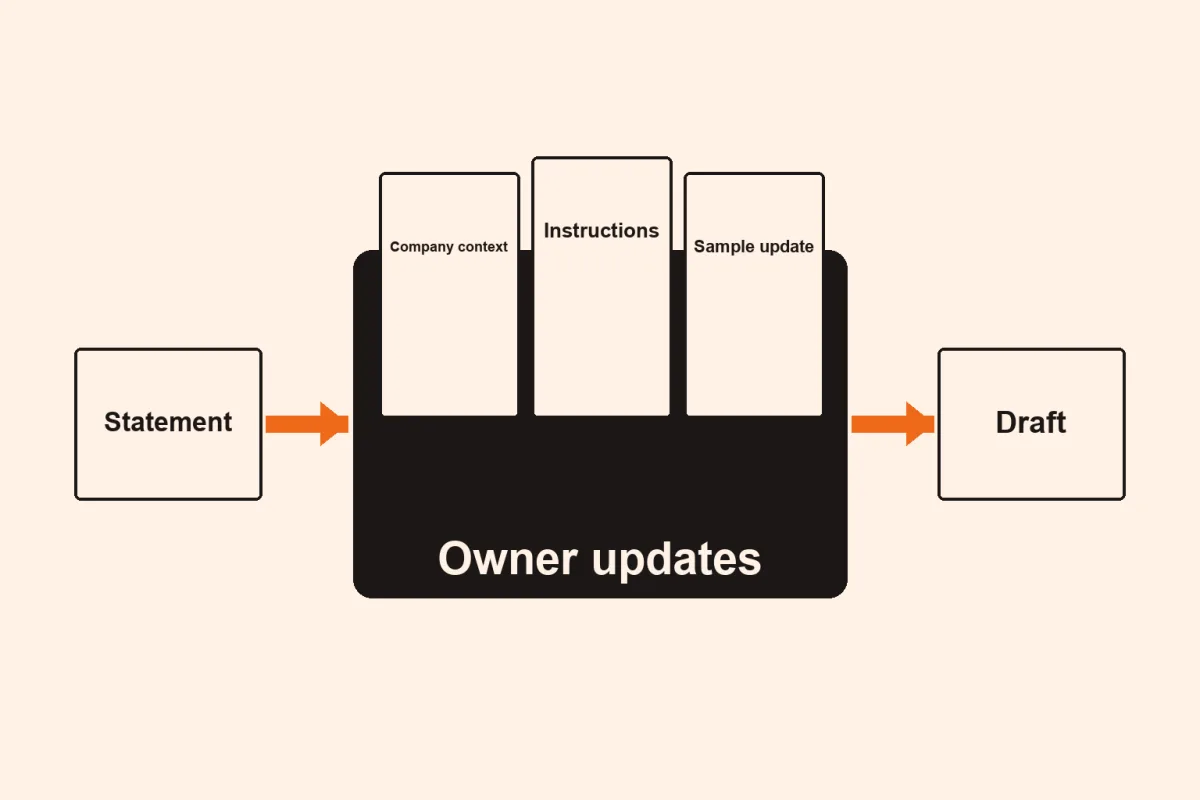
Most bad experiences with AI start with an empty chat box and a vague request. A Claude Project solves that. It holds standing instructions and files, so every chat inside it starts with your firm's rules already loaded. Nobody has to paste them in, and nobody has to remember them.
Build one Project per repeated job, and name it after the job. "Owner updates" will beat "AI" every time, because rules for explaining a statement have no business sitting next to rules for sorting a midnight leak. You can add more Projects later. Start with the job that eats the most hours in your office and is easiest to check.
Setting up the first Project
Fix the instructions after the first test, not before it.
Three files carry most of the weight. The company context page says who you are, how you write and who approves what. The instructions say what this job involves: explain each line, never change a figure, write NEEDS A HUMAN when a charge has no description. The sample shows what good looks like, and a sample often teaches more than the instructions do.
Jobs to start with
The best first jobs have three things in common. They repeat often, they follow rules you can write down, and a person can check the result quickly against a source. Drafting from a file you already trust fits all three. Writing anything where the facts live only in someone's head does not.
Pick one row below and stay on it for a few weeks. Teams that try all of them at once end up with six half-set-up Projects and no habit. Once the first job runs without surprises, the second takes a fraction of the time, because the context page is already written.
| Job | What goes in | What a person checks |
|---|---|---|
| Owner update | Closed statement, plus notes on open items | Every figure against the statement |
| Maintenance reply | Resident message, your emergency policy | The urgency call and any time given |
| Vendor follow-up | Open work order export | Dates, and who is really waiting on whom |
| Renewal letter | Lease dates, new terms, your template | Dates, rent and notice rules with counsel |
| Resident notice | The event details, your template | Date, time, notice period and required wording |
| Reading a long document | Lease, contract or vendor agreement | The clause itself, not the summary |
Our prompts for property managers cover these jobs one by one and work in Claude as written. The agent library goes a step further for some of them, packaging the instructions and the checks so you do not write them yourself.
Getting your data into Claude
Most offices start with a report. Export the closed statement or the open work order list from your software, attach it, and draft from that. It needs no setup, it works with any property software, and you can read the same file you handed over when you check the draft. Our guide to using your software's export covers how to check a file before you draft from it.
If your firm runs on AppFolio, there is a second route. AppFolio announced a Realm-X connector for Claude on 9 June 2026, which lets property managers start work in Claude that then runs inside AppFolio under the platform's own permissions (AppFolio newsroom, checked 1 November 2026). Ask AppFolio which plans include it and what your admin has to switch on before you plan around it.
We did not find an equivalent first-party connector for Buildium, DoorLoop or Rent Manager as of that same date. For drafting work this hardly matters, because a report does the job. Our comparison of AI features in property software covers what each vendor offers on its own.
A walkthrough: the first owner update
Here is an example. A coordinator at a firm with mostly small buildings writes owner updates at month end, and the firm has just moved to Claude. They create a Project called "Owner updates" and add three files: the company context page, a page of instructions, and one update from last month that an owner replied to warmly.
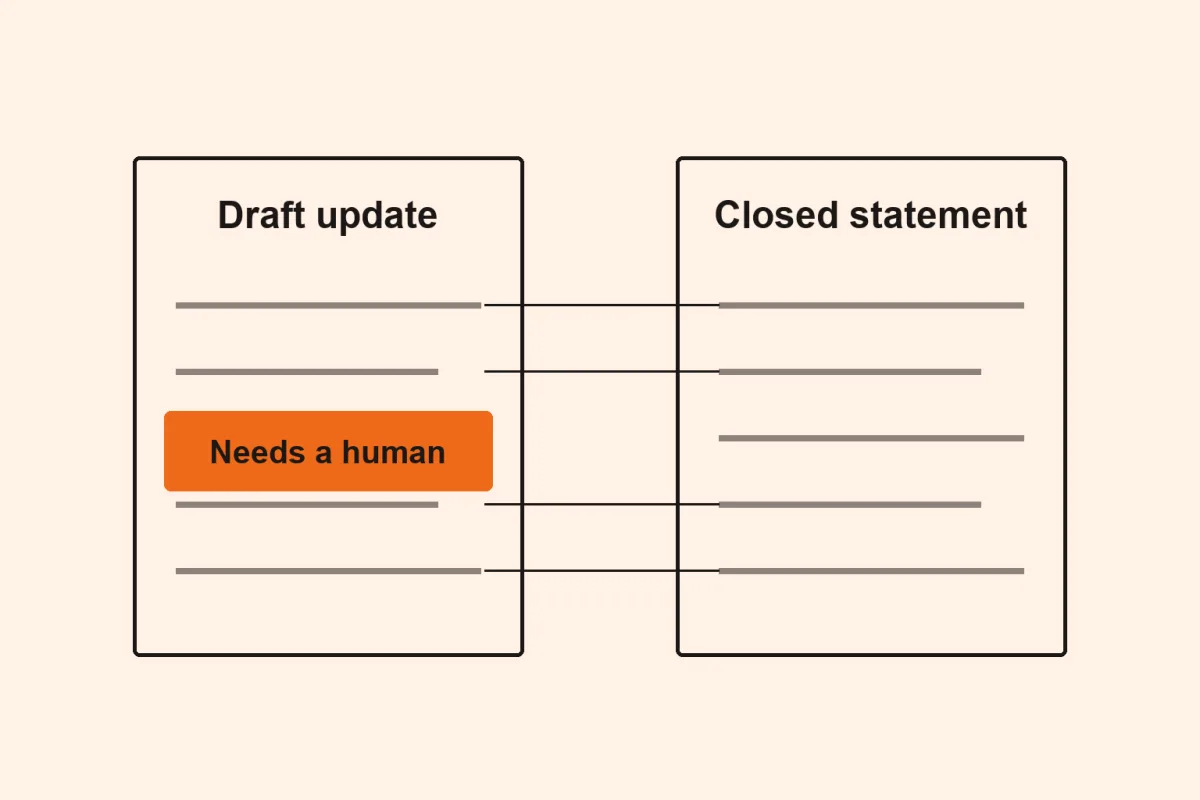
For the first run they choose a month that is already closed and that they remember well, so a wrong draft will stand out. They attach the statement and send the prompt further down this page. The draft explains each line in plain words and marks one charge as NEEDS A HUMAN, because the invoice line only says "service". That is the right behavior, and it is also a reminder to fix that vendor's invoices.
They spot two problems. The draft calls the management fee a "service charge", which is not the firm's language. It also adds a closing line offering a call any time, which nobody in the office wants to promise. Each problem gets one line in the instructions. The second run reads like their own work.
On the next month's close the job is attach, send, check. The coordinator still reads each update against the statement before sending. What changed is that they start from a draft with every line explained, and the time they save goes to the charges that need thought.
Where Claude falls short
It can make things up. Ask for a state's notice period and you may get a clear, specific answer that is out of date or wrong for your city. So treat it as a drafter of your rules and never as the source of them. Give it your own template and your own policy, tell it to use only those, and send legal questions to your counsel.
It is also weak on anything it has not been shown. It does not know what happened on the phone yesterday, that the owner is touchy about roof costs, or that the resident in 2B has already called twice. A coordinator holds that context. A good draft leaves room for it, and a person adds it before sending.
Arithmetic deserves care as well. Claude can add up a column, but your statement already has totals your accounting system produced, so ask it to compare rather than recompute, and to stop when the figures do not match. Our guide to owner statements shows what those totals should tie to. Usage limits can also interrupt a long session on a busy day, and plan allowances change, so do not build a month-end deadline around one long run in a single chat.
Common mistakes
Treating every chat as a fresh start. A long prompt typed from memory is different each time, and so is the draft. Move the rules into a Project and keep each chat short.
Testing on a month you do not know. If you cannot tell a wrong draft from a right one, the test tells you nothing. Use a closed month you remember, then widen from there.
Asking for a legal answer and getting one. The answer may sound finished. Ask instead for the questions to take to your counsel, and let the model apply the rules you bring back.
Rewriting the draft instead of fixing the instructions. If you edit the same phrase every month, you are doing the tool's job. Add one line to the instructions, and the correction sticks for everyone using the Project.
Everyone building their own setup. Three coordinators with three personal versions means three different owner voices. Keep one shared Project per job, and give one person the job of changing it.
How to adapt it
A solo manager can do all of this in one afternoon, with one Project and no admin to worry about. Choose the job you most dread, since that is where the time comes back fastest. At a team of ten, the setup work moves to one person who owns the Projects, and the rollout is about habit: show the coordinators the first test, then have them run their own.
Portfolio type changes the first job. Single family firms with many individual owners tend to start with owner updates. Multifamily firms with on-site teams often get more from resident messages and vendor chasing, because volume is higher and each message is simpler. Associations have boards and minutes, which is a different kind of writing, so give that its own Project.
Where AI helps and where a person decides
Claude does the reading and the first version. It can explain a statement line, find the clause, sort a pile of work orders by what is overdue and put your rules into a draft. It is also good at telling you what is missing, if you ask it to.
You decide anything that commits the firm: spending an owner's money, what you tell a resident about their rights, whether a charge is fair, and what goes out under your name. Use this prompt inside the Project for the first run:
Using only the instructions and files in this Project and the attached statement, draft the owner update for [property] for [month]. Explain each income and expense line in plain words. Do not change or recompute any figure. If a line has no clear description, or anything does not match, write NEEDS A HUMAN beside it and say what is missing. Keep it under [length] and use our voice from the sample. At the end, list every figure you used so I can check it against the statement.Check that list against the statement, send the update, and put any correction you made into the instructions before next month. The free Owner Statement Agent does this same job with the checks already written, if you would rather not start from a blank Project.
Before you rely on it
- The account belongs to the firm, not to one person.
- You have read the current data terms for your plan.
- The Project holds your context, instructions and one sample.
- It has run on a month you already know, and you fixed what it got wrong.
- A named person reads each draft against the source before it leaves.
Questions
Can Claude be used for property management?
Yes, for drafting and reading work: owner updates, maintenance replies, vendor follow-ups, renewal letters and lease questions. A person checks each draft against the source and makes the decisions.
Can Claude access AppFolio data?
AppFolio announced a Realm-X connector for Claude on 9 June 2026 (checked 1 November 2026). Ask AppFolio about plans and setup. Any software can also export a report that you attach to a chat.
Does Claude know property management law?
It can sound like it does, but it can be wrong or out of date for your state. Give it your own templates and policies, and take legal questions to your counsel.
What should I set up first in Claude?
One Project for one repeated job, with a one-page company context, written instructions and one sample of good work. Test it on a month you have already closed.