
Why AI drafts sound like they came from nowhere
Ask a chat tool to write an owner update and it will. The letter will be polite, tidy and wrong for your office. It calls residents "tenants" when you say residents. It says "please do not hesitate to reach out" when your owners are used to two short lines. It promises to get back within 24 hours because that sounds nice, and nobody at your firm ever agreed to it.
The model did what it could with what it had, which was nothing. So someone on the team rewrites the draft, decides the rewrite took as long as starting fresh, and concludes AI cannot do property management work. The real gap is about one page long.
A company context page holds what a new coordinator would learn in the first week: who you manage for, what systems you use, how you talk, and where their authority stops. You write it once and put it where the tool reads it every time. Then every draft starts from your firm instead of from an average of the internet.
What belongs on the page
The test for each line is simple: would a smart new hire get this wrong without being told? "We care about our residents" fails that test, because it changes nothing in a draft. "We say resident, never tenant" passes, because the draft will change on the first run.
The page holds how you work. It stays the same from one job to the next, so it does not need owner names, balances or anything that changes monthly. Those go in with the specific job, as an export or a pasted message, which keeps the context page short and easy to update.
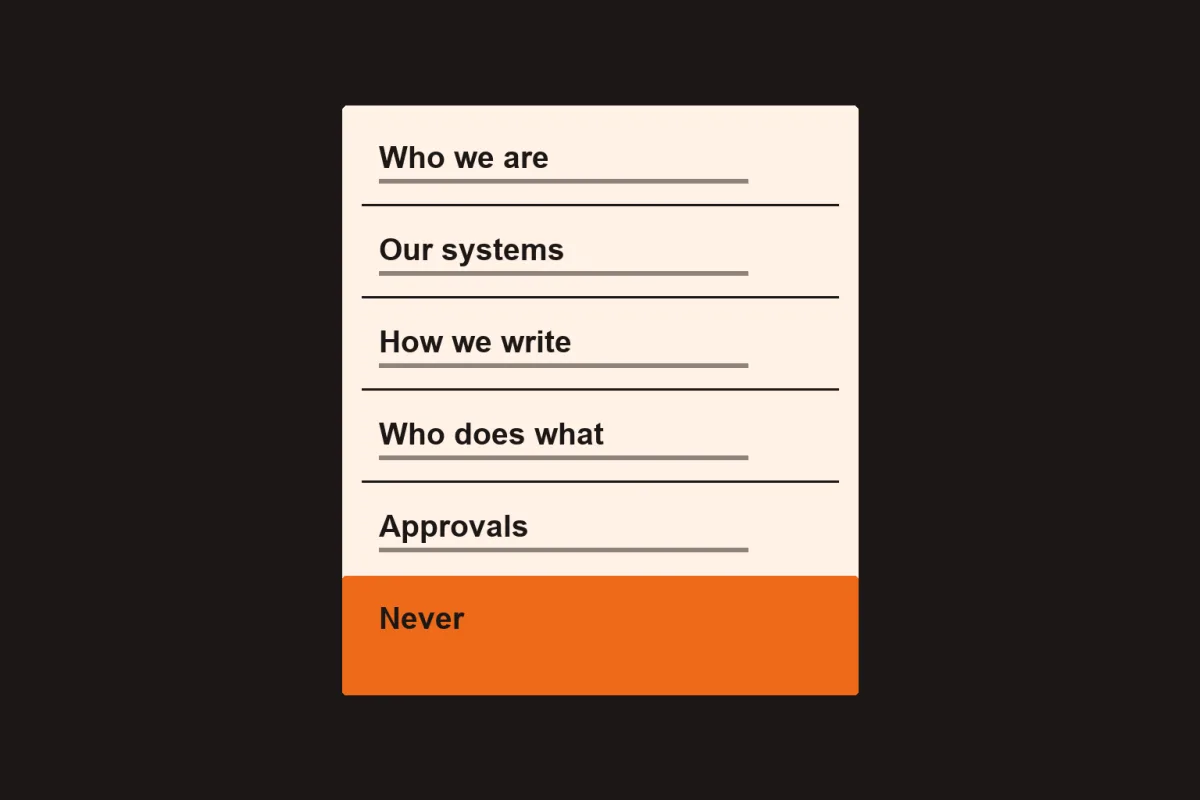
| Section | What to write | What it changes in a draft |
|---|---|---|
| Who you are | Company name, areas served, single family or multifamily, roughly how many doors | Examples and assumptions fit your portfolio |
| Systems | Your property software, where work orders and owner statements live, what reports you export | It names the right report and asks for the right file |
| Voice | Words you use and avoid, length, how you open and sign off, one short sample | Drafts read like your office wrote them |
| People | Roles only: who handles maintenance, who talks to owners, who is on call | It routes questions to the right role |
| Approvals | Default owner approval limit, who signs off on money, notices and legal letters | It flags what needs a person |
| Never | Promises, dates or legal statements it must not make on its own | It stops and asks instead of guessing |
The last row does the most work. A model that does not know a fact tends to supply a plausible one, so your page should say what to do instead: if a date, an amount or a rule is missing, write NEEDS A HUMAN and name what is missing.
The template
Copy this into a plain document and fill it in. Do it in one sitting, in rough language, and do not polish it. You will fix it after the first test anyway, and the fixes teach you more than the first draft does.
Stay under one page. Length is a real cost here, because a long page is one nobody updates, and an out-of-date page teaches the tool old rules. If a section grows, the extra detail probably belongs in a separate file for one job.
[Company] context for AI drafts
Who we are. [Company] manages about [doors] [single family / multifamily / mixed] doors in [areas], for [individual owners / investors / associations].
Our systems. Property software: [name]. Work orders live in [place]. Owner statements come from [report name], closed by [date] each month.
How we write. We say [resident / tenant], [owner / client], [work order / ticket]. Short sentences, plain words, no exclamation marks. Open with the point. Sign as [name or team]. Sample of our voice: "[two lines from a real message you liked]".
Who does what. Maintenance: [role]. Owner questions: [role]. Leasing: [role]. After hours: [role or service].
Approvals. Repairs above [limit, or "the owner's limit in the agreement"] need owner approval. [Role] approves anything about money, notices or legal matters before it goes out.
Never. Never promise a date, an amount or a response time we did not give you. Never state what the law requires. Never change a figure from a source file. If something is missing or does not match, write NEEDS A HUMAN and say what is missing.
Where to put it
Pasting the page into each chat works, and it is how most people start. It also means someone forgets on the day it matters, and two people end up with two versions. Both ChatGPT and Claude offer Projects, which hold standing instructions and files, so every chat in a Project starts with your page already loaded.
Use one Project for each repeated job, and put the same context page in each. The job-specific rules go in that Project's own instructions: an owner update Project says how to explain a line on a statement, and a maintenance Project says how to sort a request. Our guide on choosing ChatGPT or Claude covers the first hour of that setup.
How the page gets used
Three layers go in. The page rarely changes, the job rules sometimes, the source file every time.
A walkthrough: one office writes its page
Say a small firm with a mix of houses and small buildings wants AI help on maintenance replies. The office manager opens a blank document before lunch and fills in the template from memory. Portfolio, software, who does what. For the voice section, they go to their sent folder and copy two lines from a reply a resident thanked them for.
The Approvals line stops them for a minute, because nobody has written down the rule. They check two management agreements, confirm the approval limit is in each one, and write "use the limit in the owner's agreement, and if you do not have it, ask". That is already useful, and no AI has run yet.
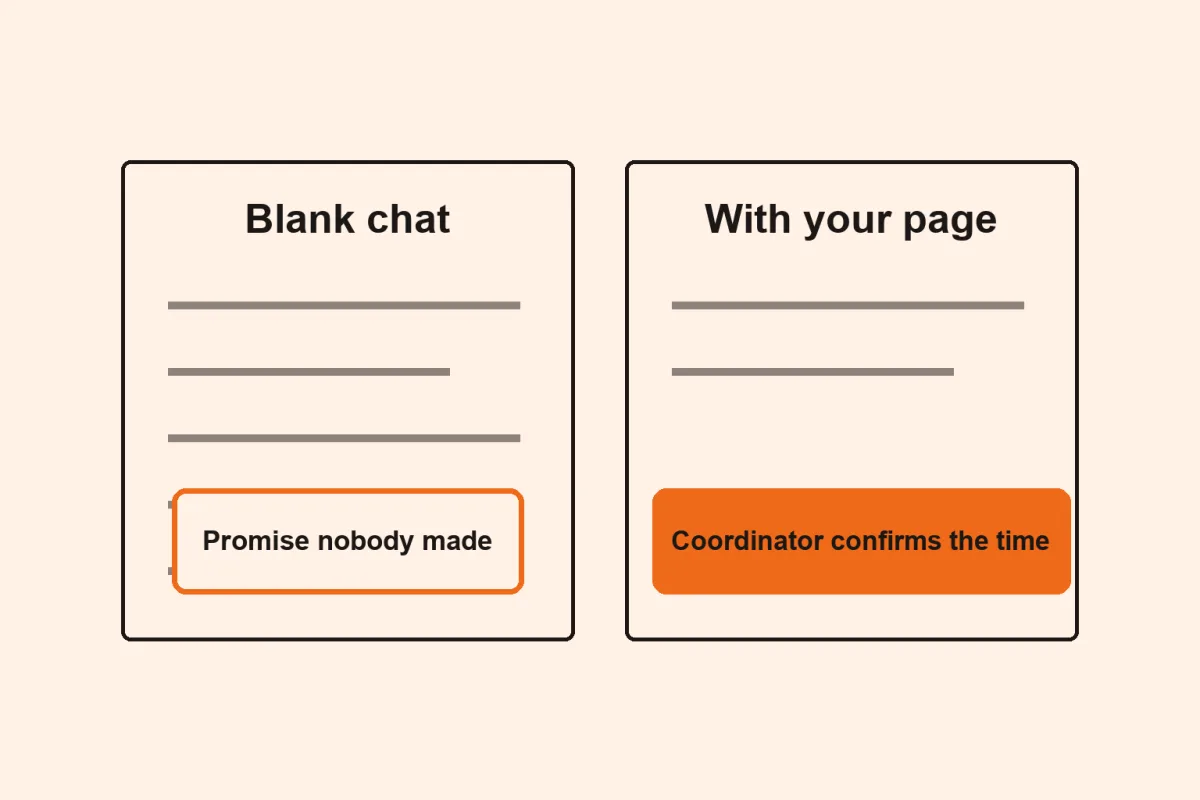
They put the page in a new Project called "Maintenance replies" and paste in a resident message from last week about a leaking faucet. The draft opens well and uses "resident". It also tells the resident a plumber will come "within 48 hours". No one at the firm said that.
So the Never section gets one more line: "Never give a time for a repair unless the work order shows one." The second run says a coordinator will confirm the time once the plumber has replied. That is what the office would have written. The page took under an hour, and from then on the first draft needs a read, not a rewrite.
Common mistakes
Writing a mission statement. "We are committed to excellent service" gives the model nothing to act on. Replace it with something it can do: "reply to owners in under six sentences" or "always say what happens next".
Trying to fit every policy on the page. Your whole operations manual will not fit, and the important lines get buried. Put the firm-wide rules on the page. A long policy for one job, such as your after-hours policy, goes in as its own file in that job's Project.
No voice sample. Adjectives like "friendly but professional" describe every firm. Two real lines from your own sent mail teach more than a paragraph of description. Choose a message you would be happy to send again.
Leaving out what to do when something is missing. Without that instruction the model fills gaps with confident guesses, which is how a made-up response time ends up in an email. Tell it to stop and mark the gap.
Never updating it. You change software, a coordinator leaves, the approval limit moves. Put the page on the same list as your month-end close and read it once a quarter. Each time a draft comes back wrong for a reason the page could have prevented, add one line.
How to adapt it
A solo manager can write this in half an hour and keep it in one Project. The Who Does What section may just say "me", which is fine, and the Never section matters more because there is no second reader. A larger firm should make one person the owner of the page, keep the master copy in a shared drive, and copy it into each Project, so changes do not depend on everyone remembering to edit their own version.
Mixed portfolios need a line on what differs. If you write differently to individual owners than to institutional clients, say so and tell the tool which applies, or make two Projects. If you manage in more than one state, add a line that says rules differ by state and that the model must ask which property it is working on before drafting a notice.
Your software matters most in the Systems section. AppFolio, Buildium, DoorLoop and Rent Manager name their reports differently, and the tool can only ask for the right file if it knows your names. Copy the exact report names from your account. Our guide on exporting data for AI covers what to check in those files.
Test it before you trust it
A short test tells you whether the page is doing anything. Pick a job you know well and a real example you already handled, so you can tell right from wrong at a glance. Run it once in a blank chat and once with the page loaded, then put the two drafts side by side.
Then ask the page's rules directly. Give it a message that needs a response time you never supplied, and see whether it stops. Give it a request above your approval limit, and see whether it flags the owner. A draft that sounds right but breaks a rule tells you which line to sharpen. Our guide to AI prompts for property managers has more jobs to test on.
Run the test again after any big change to the page, and whenever someone new starts using the Project. It takes a few minutes, and it catches the slow drift that happens when a page collects one-off fixes. If a new line makes the voice worse, or two lines start to contradict each other, cut one. Short and accurate beats complete.
Where AI helps and where a person decides
AI can write the first version of the page for you. Paste in a few of your sent emails and any written policies, and ask it to fill in the template, marking whatever it cannot find. You will get a rough page faster than you would by typing, and the gaps it marks are usually the rules your firm never wrote down.
A person decides what the rules are. The model can spot that your emails usually say "resident", but it cannot decide who approves a notice or what your firm will promise an owner. Read every line in the Approvals and Never sections as if a new hire were about to act on it, because that is what will happen.
Below are [number] emails our office sent and our written policies. Fill in this company context template using only what they show. Keep it to one page. Quote our real wording for the voice sample. For anything you cannot find, write MISSING: and the question I need to answer, especially for approvals and the Never section. Do not invent a rule, a limit or a response time.

[paste the template]

[paste emails and policies]
Answer the MISSING lines yourself, then run the side-by-side test on one real job. If your firm wants written rules on who may use which tool, the AI policy template is the next thing to write.
Before you load the page
- It fits on one page.
- Every line would change a draft if you removed it.
- The voice section has two real lines from your own messages.
- The approval limit and who signs off match your agreements.
- It says what to do when something is missing.
Questions
What is company context for AI?
A short document telling the tool who your firm manages for, what systems you use, how you write, who approves what and what it must never do. It is what a new hire would learn in the first week.
How long should an AI company context file be?
One page. Longer pages go stale and bury the rules that matter. Detail for one job goes in a separate file in that job's Project.
Where do I put company context in ChatGPT or Claude?
In a Project, which holds standing instructions and files so each chat inside starts with them. Use one Project per repeated job, with the same context page in each.
How do I know the context page is working?
Run the same real job in a blank chat and with the page loaded, then compare. Also send a message that needs a fact you never supplied and check that it stops and asks.