Why the choice feels harder than it is
Property managers usually come to this question after a bad first try. Someone on the team typed a vague request into a blank chat, got a generic owner update back, and decided AI was not ready for real work. Then a colleague swears by the other tool, and the question becomes which one is better.
For the jobs a property management office actually hands to AI, that is the wrong question. Owner updates, maintenance replies, vendor chasing, renewal letters and notices are drafting jobs. Both ChatGPT and Claude do them well when they are given the right material and clear rules. The gap between a bad first try and a useful draft is almost always setup, not the model.
So choose quickly, using the questions below, and put your time into the first hour of setup. That hour decides whether your team keeps using it.
How to choose
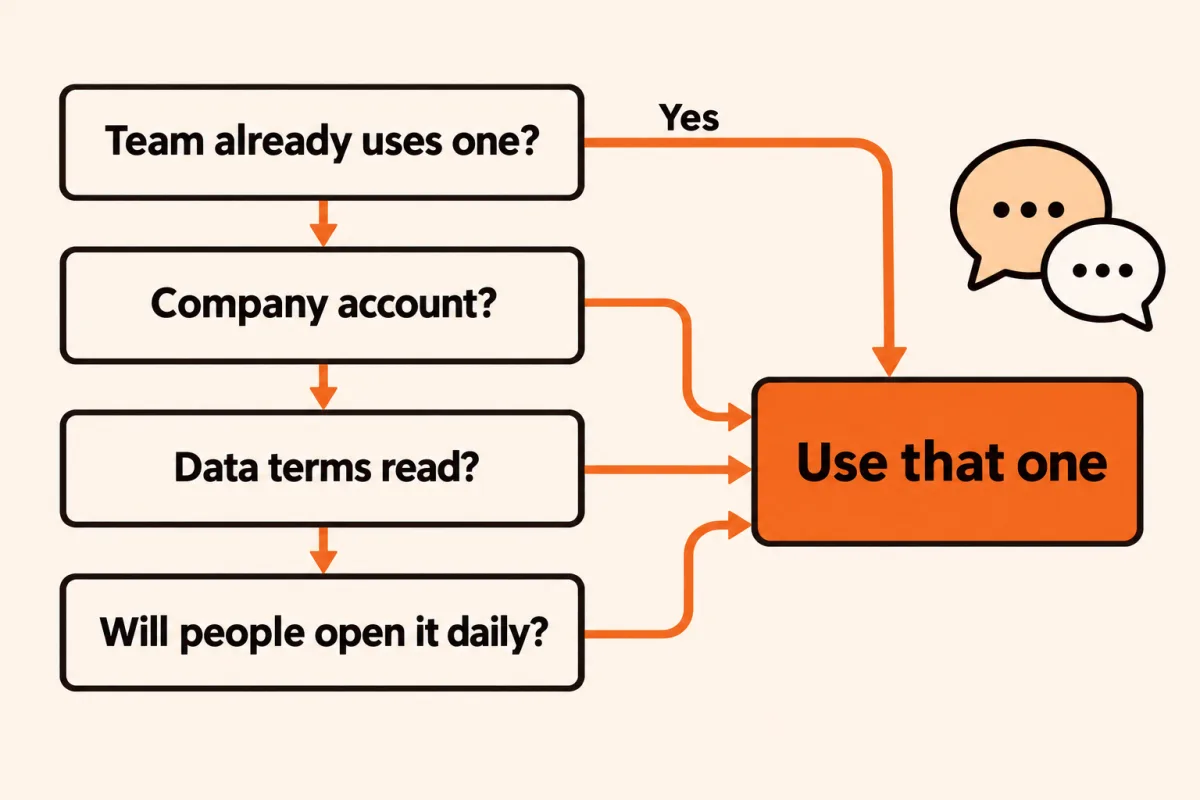
Five questions settle it for most firms. Answer them in order and stop when one gives you a clear answer. Most offices stop at the first: if your team already pays for one of them, that is your tool, because two tools means two sets of instructions, two places to look for last month's draft and two sets of settings to keep straight.
If nobody uses either yet, the second and third questions matter most. Who owns the account decides who can see the work when someone leaves. The plan's data terms decide what your firm is comfortable putting in.
| Question | What to do |
|---|---|
| Does your firm already use one? | Use that one. Two tools means two setups to maintain |
| Who controls the account? | For company work, prefer a company workspace such as ChatGPT Business or Claude Team over personal accounts |
| What do the data terms say for your plan? | Read the current terms for the plan you will use, then decide what goes in |
| Can it hold standing instructions and files? | Both offer Projects for this. Use one Project per repeated job |
| Will your team open it every day? | The tool people actually use beats the one that tests better |
A paid plan is the sensible baseline for regular work, mainly for the stronger models and higher limits. On data, both companies publish their defaults for business plans. OpenAI's help centre says it does not use content from ChatGPT Business workspaces to train its models by default, and Anthropic's pricing page lists model training on Claude Team as none by default (both checked 1 November 2026). Read the current version for the plan you buy, because terms change.
One thing that can tip it: your software
There is one case where the choice is not a coin toss. If your firm runs on AppFolio, AppFolio announced a Realm-X connector for Claude on 9 June 2026, which lets property managers start work in Claude that then runs inside AppFolio under the platform's own permissions (AppFolio newsroom, checked 1 November 2026). Check with AppFolio which plans include it and what your admin needs to switch on before you count on it.
For Buildium, DoorLoop and Rent Manager we have not found an equivalent first-party connector for either tool as of that date. That does not matter much for drafting. A downloaded report works in both tools, and our guide to using your software's export with ChatGPT or Claude covers how to check the file before you draft from it.
Set up one Project per job
Most disappointment with AI comes from an empty chat box and a vague request. A Project fixes that. It is a folder in either tool that holds standing instructions and files, so every chat inside it starts with your firm's context instead of nothing. OpenAI describes ChatGPT Projects as a way to keep related chats, files and instructions together, and Claude Projects work the same way.
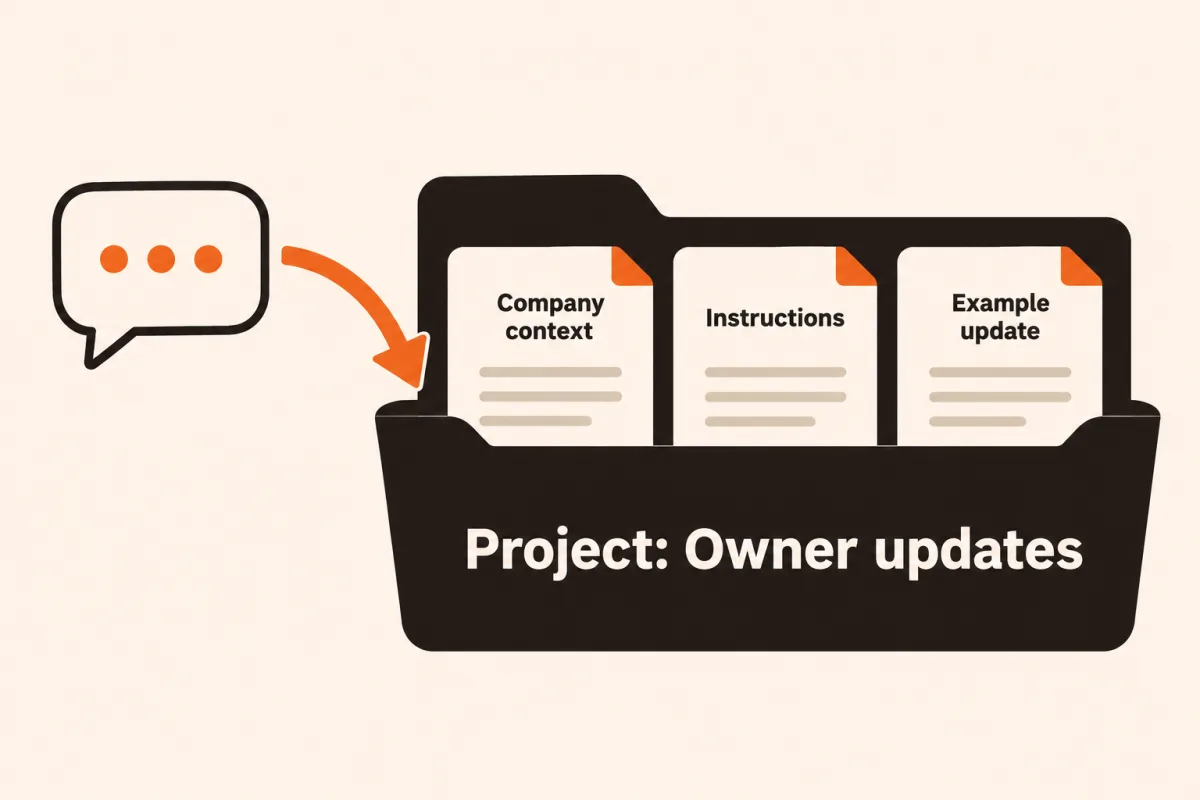
The rule that makes Projects work is one job per Project. A Project called "Owner updates" with your owner voice, your approval rules and an example update will beat a Project called "AI" with everything thrown in.
The first hour, in five steps
The fix is the same in both tools:
- Pick one repeated job. Owner updates, maintenance replies, vendor chasing. One.
- Make a Project for it. Name it after the job.
- Add a short company context file. Portfolio type, size, systems, how you write to owners and residents, and who approves what.
- Write the instructions once. What it drafts, what it must never do, and what it marks for a person.
- Test on a month you already know. Check the draft against the source before you rely on it for a month you have not read.
A walkthrough: owner updates in a small office
Here is an example. A firm managing a mix of single family homes and small buildings has one person writing owner updates at month end. They already pay for ChatGPT Business because the leasing team uses it, so the choice is made at question one.
They create a Project called "Owner updates". Into it go three files: a one-page company context (portfolio type, the software they use, who approves repairs above the owner's limit), a page of instructions (explain every expense line in plain words, never change a figure, write NEEDS A HUMAN when a charge has no description), and one update they wrote by hand last month that the owner liked.
For the first run they attach a statement from a month they already closed and remember well, and use the prompt further down this page. The draft explains every line, but it calls a management fee a "service charge". That is not wrong, just not their language, so they add one line to the instructions: call it the management fee, always. The second run reads like their own writing.
From then on the job is attach, send, check. The person still reads every update against the statement before it goes. What changed is that they start from a draft that already has every line explained, instead of a blank email.
Decide the firm's rules before anyone starts
Write one short page before the team logs in. Which workspace the firm uses, which jobs go in it, and what each person checks before a draft leaves the office. Your firm sets these rules, in writing, and everyone works from the same page.
This is the page that keeps two people from setting up the same job two different ways. It does not need to be long. Our one-page AI policy for a property management company is a starting point you can edit to fit your firm.
Common mistakes
Choosing by benchmark. Comparison charts measure things your office does not do. Pick the tool your team will open on a Tuesday afternoon. If nobody opens it, the better score did nothing.
One Project for everything. Owner updates, leasing replies and vendor chasing need different voices and different rules. Mixed into one Project, the instructions fight each other and every draft gets worse. One job, one Project.
Personal accounts for company work. When the person who set it up leaves, the instructions, the examples and every past draft leave with them. Put the work in a company workspace the firm controls.
Skipping the check. A draft that reads well can still have a wrong figure. Read it against the source every time, line by line, until you trust the setup, and then keep reading the lines that involve money.
How to adapt it
A solo manager or a two-person office can run everything from one paid seat and a handful of Projects. Check the seat rules for the plan you want before you buy, because business plans can set a minimum number of seats.
A larger team should set up the Projects once, centrally, and share them, so every coordinator drafts from the same instructions. Name one person as the owner of each Project's instructions, so changes are deliberate rather than whoever edited it last.
Single family portfolios with many individual owners get the most from owner update and repair approval Projects. Multifamily teams usually start with resident notices and maintenance replies, where the same message goes to many units.
Which one for owner statements?
Either. The free Owner Statement Agent has setup paths for both. Its published test record covers Claude, and we checked the ChatGPT route ourselves before putting it in our course. Run its sample files on the tool you chose, then swap in your own closed month.
A first prompt to try today
In your new Project, attach one closed statement and send:
Using only the attached statement, draft a short owner update that explains every expense line in plain words. If a charge has no description, write NEEDS A HUMAN instead of guessing. List anything you could not check at the end.Read it against the statement line by line. That check is the habit that makes AI safe to use with owner money.
Where AI helps and where a person decides
AI is fast at the parts of the job that are copying and explaining: turning a ledger line into a sentence, filling a template from a work order, rewriting a curt vendor reply into something you would send to a resident. It is also good at spotting what is missing, if you tell it to list what it could not check.
A person decides anything that commits the firm. Whether a repair is approved, whether a fee applies, what to tell an owner who is unhappy, and whether a draft goes out at all. Build the Project so the draft always ends with a list of what it could not confirm, and make reading that list part of the job.
What to do next
Pick the tool, make one Project, and run one job for a month before adding a second. If you want ready-made instructions for the second job, these 20 AI prompts for property managers are sorted by job. For a wider view of what else is on the market, see the best AI tools for property managers, and for what your own software already includes, the AI features in AppFolio, Buildium and DoorLoop.
Questions
Is ChatGPT or Claude better for property managers?
Both handle drafting work well. Choose the one your firm already uses or will pay for and control, then spend your time on the setup.
Do I need a paid plan?
For regular work, yes, mainly for the stronger models and higher limits. A free account is enough to try the setup before you buy.
Can I put tenant information into ChatGPT or Claude?
Use a company workspace whose data terms your firm has read, and follow your firm's written AI policy on what goes in. Both ChatGPT Business and Claude Team publish their training defaults.
Should my team use both?
Usually not. One tool and one shared way of working is easier to keep safe and consistent.