
Why new vendors start badly
New vendors usually arrive in a hurry. The regular plumber is booked, a leak will not wait, and someone in the office has a name from a friend. The vendor goes out, does decent work and sends an invoice. Now they are on the list, and nobody ever went back to collect the paperwork or explain how your office works.
The trouble surfaces later. The invoice says "plumbing repair" and the owner calls to ask what that means. The vendor spends more than the owner's approval limit because nobody told them a limit exists. The resident gets a surprise knock because the vendor never learned that your office schedules access. Then a claim lands, and the insurance certificate on file turns out to be for last year, or was never on file at all.
None of this comes from a bad vendor. A good electrician cannot follow rules they were never given. Onboarding is the hour you spend making sure they have your rules, and that you have their documents, before their work has your name on it.
What to collect before the first work order
Keep the document list short enough that your office will actually do it for every vendor, including the emergency one. A long packet gets skipped on the busy day, which is the day it matters. Most firms can work from the list below, then add whatever their counsel, insurance broker or accountant asks for.
Decide who chases it. If collecting documents is everybody's job, the file stays half full. Name one person, and give that person the right to say a vendor is not yet cleared for work.
| Item | Why you want it | Who to ask about the rules |
|---|---|---|
| Legal business name and address | So invoices, payments and the contract all match | Your accountant |
| W-9 | Gives you the taxpayer details for year-end reporting | Your accountant |
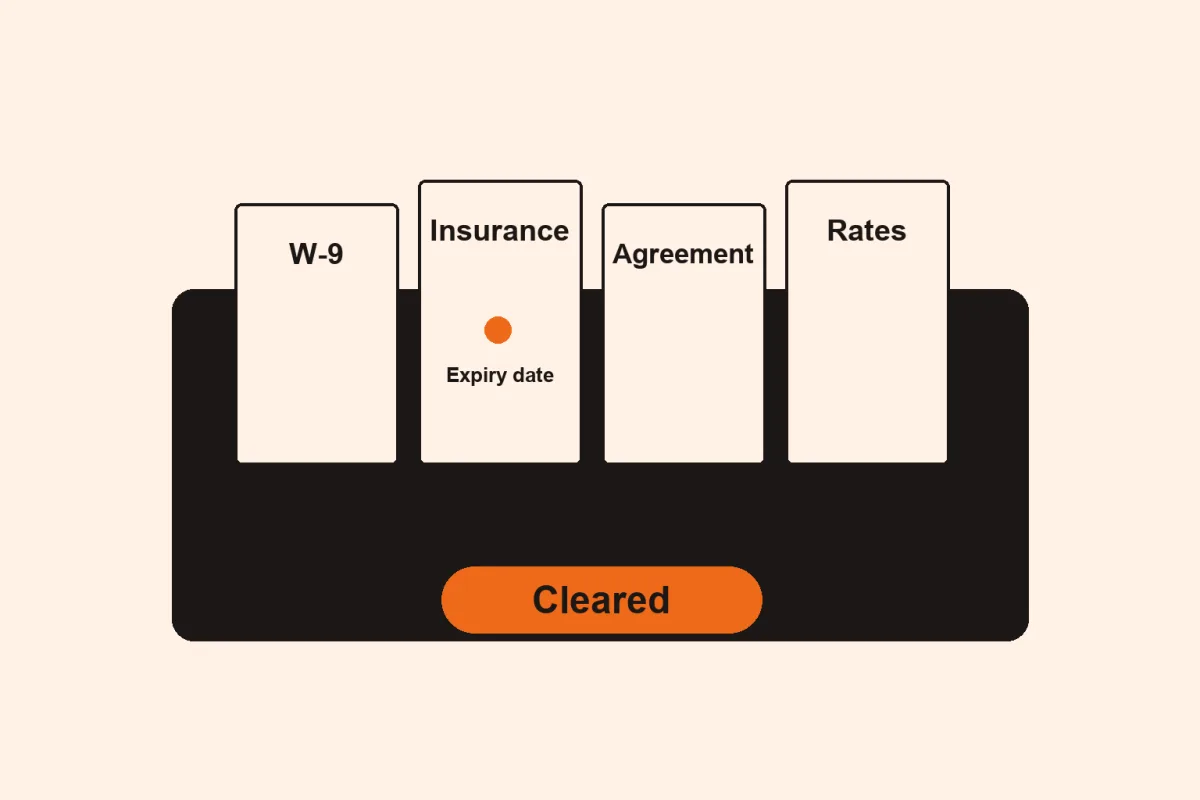
| Certificate of insurance | Shows coverage, limits and the expiry date you need to track | Your insurance broker |
| License number, for trades that need one | Lets you check it with the state or local board yourself | Your counsel |
| Signed vendor agreement | Puts your rules, rates and scope in writing | Your counsel |
| Rate sheet | Normal, after-hours and trip charges, so invoices can be checked | The owner agreement |
| Daytime, after-hours and billing contacts | The person who answers at midnight is rarely the person who bills | The vendor |
What insurance limits to require, whether a license is required for a given job, and what the vendor agreement should say all depend on your state, your management agreements and your own risk. This guide lists what to gather. Your broker and your counsel set the standard.
This is a working template, not legal advice. Licensing, insurance requirements, contract terms and tax reporting depend on your lease and on state and local law. Check yours with your own counsel before using it.
The sequence, from name to first invoice
Onboarding works best as a short gate with a clear end. The vendor is either cleared for work or not yet cleared, and your work order system should show which. Without that status, the office has no way to tell a vendor who has finished the process from one who only got as far as a phone call.
The order matters too. Send the welcome email before you ask for the documents, so the vendor sees what they are signing up for. Save the first job for last, and make it a small one if you can, because a small job tests the whole loop of access, updates and invoicing at low cost.
Vendor onboarding, in order
If the file is not complete, the vendor stays not yet cleared. Decide in advance who can make an exception, and write it down.
The rules a vendor needs from you
Your rules are the part vendors cannot find anywhere else. They know how to fix a water heater. They do not know that your office wants a photo before the old unit goes, or that one owner needs a call before anything over their limit. Write these rules once and they apply to every vendor you add from now on.
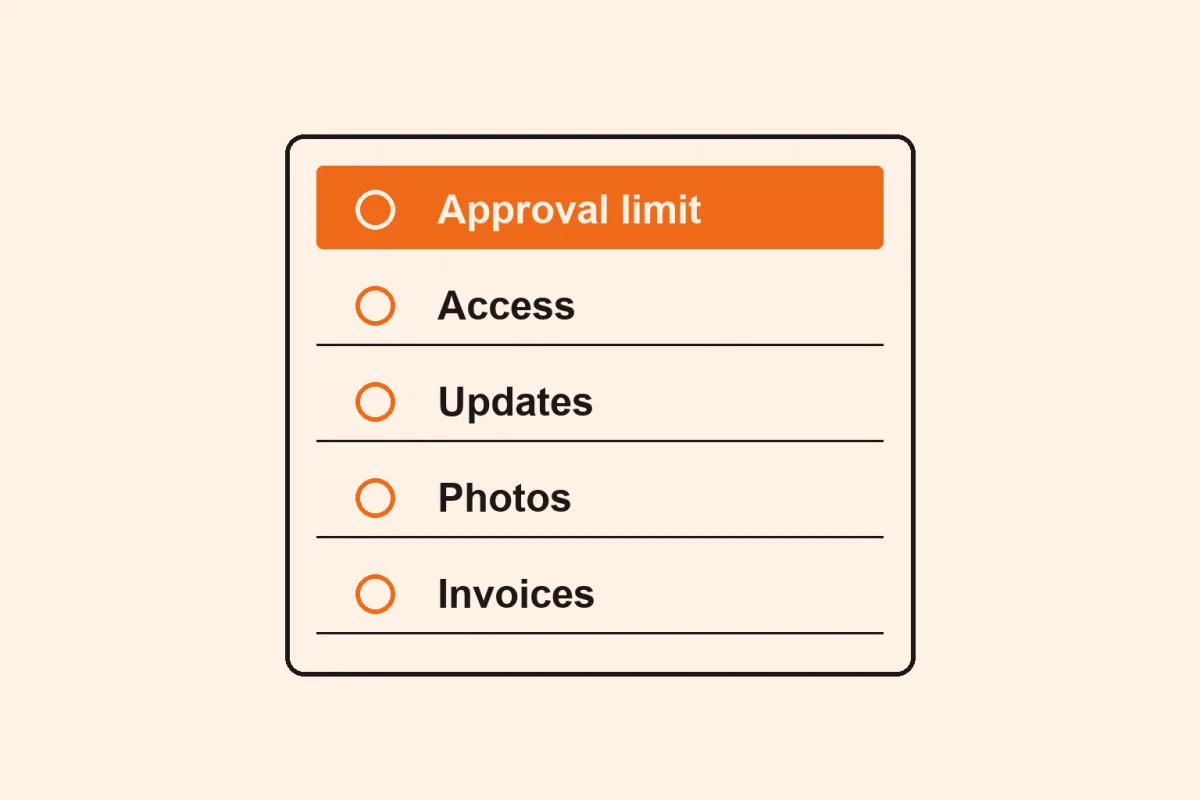
Keep each rule to one line a technician can follow on a job site. If a rule needs a paragraph, it is really two rules. The table below covers what vendors most often ask about, and what your office most often wishes it had said.
| Rule | What to write down |
|---|---|
| Approval limit | The amount they may spend without calling, and who to call above it |
| Scheduling and access | Who contacts the resident, how much notice is given, how keys or codes work |
| Updates | When to reply to a work order, and what to send when a job stalls |
| Photos | Before and after, sent where, and named how |
| Invoices | Property address, work order number, what was done, parts and labor split, sent where |
| After-hours work | Who may send them out at night, and which rate applies |
| Resident conduct | Identify yourself, talk about the repair only, send other questions to the office |
The updates rule saves the most phone calls. Once a vendor knows what to send and when, your coordinator stops chasing and can send residents work order status updates that hold up. When a vendor still goes quiet, the vendor follow-up email has a one-ask message to send.
The welcome email
This email does two jobs. It tells the vendor what you need back, and it shows them, before any money changes hands, that your office is organized and easy to work with. Good vendors like that. They get paid faster by offices that send clear work orders and accept clean invoices.
Send it from a shared address if you have one, so replies do not vanish when someone is on vacation. Attach the agreement and rate sheet form rather than pasting them in.
Subject: Welcome to [company] vendors: what we need before your first job
Hi [name],
Thanks for agreeing to work with us on [trade] at our properties. Before we can send you a work order, we need these back by [date]:
- Signed vendor agreement (attached)
- W-9
- Certificate of insurance showing [what your broker requires]
- License number, if your trade requires one
- Your rates for normal hours, after-hours and any trip charge (form attached)
- Who we call during the day, after hours, and about invoices
How we work, in short:
- Reply to each work order by [time] to accept or decline it.
- Call [name, number] before going over [approval limit].
- Send before and after photos to [address].
- Each invoice needs the property address, work order number, what you did, and parts and labor listed separately.
Send everything to [address]. Questions go to [name, number]. Once your file is complete we will confirm you are set up.
Thanks,
[name, company]
A walkthrough: one plumber, referral to first invoice
Say your regular plumber has retired and a coordinator gets a name from another manager. Before anyone calls, the coordinator checks the license number on the state board's site, then phones the plumber to ask about the kind of work and the area they cover. Both answers look fine, so the welcome email goes out the same day.
The documents come back over the next few days, except the insurance certificate, which lists the wrong business name. The coordinator asks for a corrected one and logs the expiry date in the vendor record once it arrives. The status changes to cleared, and the plumber's after-hours number goes on the on-call sheet.
The first job is a slow kitchen drain. The plumber replies to the work order the same morning, sends before and after photos, and invoices with the address and work order number. One thing is missing: the invoice lumps parts and labor together. The coordinator pays it and sends one friendly line asking for the split next time. It is the only correction the plumber needs.
That one conversation is why you start small. A correction on a slow drain costs nothing. The same habit on a water heater replacement, with an owner asking why the bill looks high, costs an afternoon of phone calls.
Common mistakes
Skipping onboarding for the emergency vendor. A burst pipe at night may justify calling someone new, and that is your call to make. What does not hold up is leaving them uncleared afterward. Put an exception rule in writing, and send the welcome email the next morning.
Collecting the insurance certificate once. A certificate has an expiry date, and a vendor who was covered when you added them may not be covered now. Log the date, remind the vendor before it passes, and stop new work orders if it lapses, under whatever rule your broker recommends.
Rates agreed by phone. When the first after-hours invoice arrives, nobody remembers what was said. An owner who questions the bill then gets a shrug. A rate sheet on file answers the question in one line.
Telling vendors the rules, then never checking. If invoices without a work order number still get paid, the rule is not real. Send them back politely, once, early on. Vendors adjust quickly when the process is consistent.
Letting vendors and residents settle things directly. A vendor agreeing a time with a resident is fine if that is your process. A vendor promising a resident new carpet is not. Say what they may discuss, and where other questions go.
How to adapt it
A firm with a few dozen doors and a handful of trusted vendors can run all of this from one shared folder and a spreadsheet of expiry dates. Do not build anything grander until you have more vendors than you can remember. A larger firm with dozens of vendors should keep the same list, but put the status and expiry dates in its software so a coordinator cannot dispatch someone who is not cleared.
Single family portfolios spread vendors across a wider area, so ask each vendor which zip codes they really cover, and how they get into a home with no office on site. Multifamily properties often have on-site staff, so tell vendors who meets them, where to park, and whether they sign in. An HOA or a commercial building may set its own vendor insurance and access rules on top of yours.
If you use AppFolio, Buildium, DoorLoop or Rent Manager, check what its vendor record already holds before you build a separate tracker, and whether it can warn you about an expired insurance date. Some of them keep this in the vendor profile. Features change, so confirm in your own account.
Where AI helps and where a person decides
AI is good at the paperwork around onboarding. Give it your vendor agreement, your rules and a vendor's documents, and it can draft the welcome email, list what is missing, read expiry dates off a certificate, and flag a business name that does not match across documents. It can also turn a long policy into one-line rules a technician will read.
A person decides whether to trust the vendor. Calling references, judging whether the coverage is adequate, checking the license with the board and making the exception on a busy night all stay with you. If the model says a certificate looks fine, treat that as a sign the dates and names line up, and nothing more than that.
Using only the vendor rules in this Project and the documents I attach for [vendor name], list: 1) which items from our onboarding list are present and which are missing, 2) the expiry date on the certificate of insurance, 3) any place the business name or address does not match across documents. Then draft the welcome email from our template asking only for what is missing, with [date] as the deadline. Do not judge whether the coverage is adequate. If a document is unreadable or a date is not shown, say so instead of guessing.Read the output against the documents before you send it, then set the status yourself.
What to do after the first job
Look at the first few jobs together: how fast they replied, whether the update arrived, whether the invoice could be paid without a question. Then feed that into the same vendor scorecard you use for everyone else, so the new vendor is judged on the record instead of on who recommended them.
Add the vendor to your on-call list only if your after-hours policy allows it and they have agreed the after-hours rate. Then set a reminder for the insurance expiry date, and move on to the next open work order.
Before the first work order
- References and license checked by a person.
- W-9, insurance certificate, agreement and rates are on file.
- Insurance expiry date is logged with a reminder.
- The vendor has your approval limit, access, update and invoice rules in writing.
- Your software shows the vendor as cleared.
Questions
What should a vendor onboarding checklist include?
Business name and address, W-9, certificate of insurance, license number where the trade needs one, a signed agreement, a rate sheet and contacts for daytime, after-hours and billing. Your counsel and broker set the exact standard.
How do property managers onboard a new maintenance vendor?
Check references and the license, send a welcome email with your rules and document list, log expiry dates, mark the vendor cleared, then start with a small job and review the invoice.
What rules should a vendor get in writing?
The approval limit, how scheduling and access work, when to send updates, what photos to take, what an invoice must show and who can authorize after-hours work.
Can AI help with vendor onboarding?
It can draft the welcome email, list missing documents and read expiry dates. A person checks references, decides whether coverage is adequate and clears the vendor.