
Why work orders go overdue
Almost no work order is late on purpose. The vendor is busy and the part is back-ordered. The resident was not home, and nobody rebooked. The approval sat in an owner's inbox. The coordinator handed the job off on a Friday and the next person did not know it was open. Each of those has a different fix, and none of them is solved by sending the same message with a louder tone.
The trouble is that an overdue job is quiet. Nobody calls to say the roof repair is two days late. The resident waits, and the first sign you get is a complaint, a one-star review or a call to the owner. By then you are explaining, not managing. The cost builds in the background: a leak that continues, a unit that cannot rent, a vendor relationship that gets awkward because you chased too hard or too late.
An escalation ladder fixes the quiet part. It decides in advance what counts as overdue, what you do first, what you do next and when a person above you hears about it. Nothing about it is clever. It turns a vague feeling that a job should have moved into a trigger that a coordinator can see on a list. The work order status update template covers what the resident hears while you do it.
What counts as overdue
Pick the trigger before you pick the response. A work order is overdue when it passes a date someone promised, or when it has had no movement for longer than its priority allows. Those are two different tests, and you need both. A job can be inside its promised date and still be stale if the vendor has not confirmed anything. A job can be past its date because the part is on order, and still be on track if everyone knows.
Set the limits by priority, and write them in your policy so every coordinator uses the same numbers. Your limits come from your own operations, your leases and your local rules. Some places set a time by which you must respond to certain repair requests, and habitability issues carry the strictest ones. Rules vary by state and lease, so have your counsel tell you which categories carry a legal clock and write those into the top of the list.
This is a working guide, not legal advice. Repair response times, habitability duties, resident remedies for delay and any charges that follow depend on your lease and on state and local law. Check yours with your own counsel before you set your policy.
| Priority | Overdue when | Who sees it |
|---|---|---|
| Emergency, active damage or no essential service | No confirmed arrival time, or the vendor has not arrived by the time given | Coordinator and manager, right away |
| Urgent, affects daily living | No vendor confirmed within your set window, or the promised date has passed | Coordinator, then manager if it slips a second day |
| Routine | The promised date passed with no update, or no movement for your set number of days | Coordinator, in the weekly review |
| Waiting on a third party | The owner, the resident or a part has held the job longer than the date you gave | Whoever owns that wait |
Fill the middle column with your own limits. Do not copy numbers from another firm, because your vendors, your portfolio and your leases set them. The only rule that belongs everywhere is that every open job has a next date, and that date is visible.
The escalation ladder
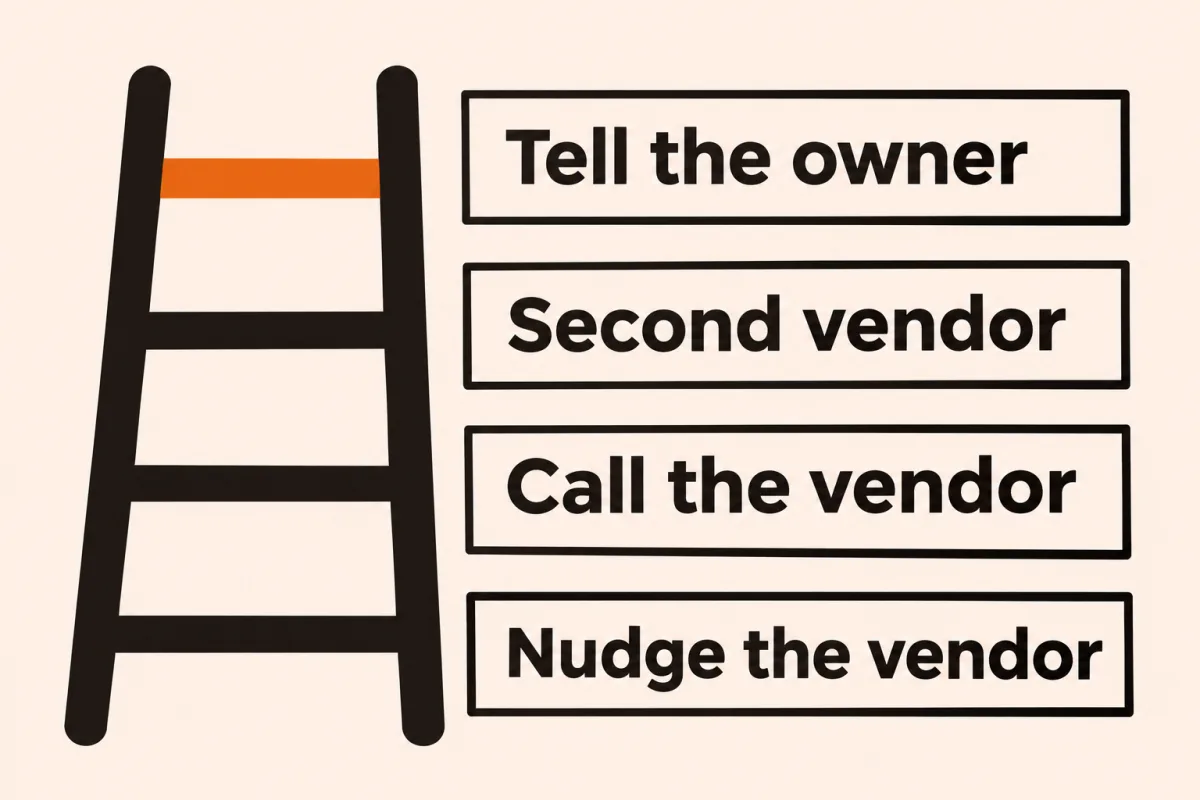
Think of five rungs. You climb one at a time, and you only skip a rung when the situation demands it, such as active water. At every rung, write down what you did and what you heard, because the record is what protects you later.
Rung one: the nudge. A short message to the vendor that restates the job, the promised date and the question: are you still coming, and when? Most overdue jobs end here. The vendor forgot, lost the message or is waiting for something you can supply. A nudge costs a minute and keeps the relationship friendly. Our vendor follow-up email template has the wording.
Rung two: the call. If the nudge gets no answer or an unclear answer, call. A phone call forces a date. Ask what is blocking the job, what they need from you and when they will be there, and repeat the date back. Follow up with a short note so you have it in writing.
Rung three: the manager. If the vendor misses the new date, or if the job is urgent, tell your manager or the person who handles vendor relationships. They may know why the vendor is struggling, have a better number to call, or decide that this vendor has had enough chances. Bring the dates, not an opinion.
Rung four: a second vendor. When the delay is hurting the resident or the property, line up another vendor and tell the first one what you are doing. Check your contract and the owner's approval limit before you commit, and make sure the first vendor has not already ordered materials or done part of the work. Moving fast should not mean paying twice by accident.
Rung five: the owner and the record. Tell the owner what has happened, what it may cost and what you recommend. If the delay causes damage or a resident complaint, keep every message and date in the file. Our guide on telling an owner about an expensive repair shows the shape of that message, and the vendor scorecard template is where the miss goes on the vendor's record.
The escalation ladder
Skip rungs only for emergencies. Write down every rung you climb.
The messages for each rung
Keep the first messages short and calm. The tone you set at rung one is the tone you have to live with at rung four, so save the firm wording for the point where you need it. The vendor nudge below works for most jobs. Change the details, keep the structure.
Checking on [property / unit]: [job]
Hello [vendor contact],
Checking on work order [number] at [address]: [one-line job]. You told us [day, date]. We have not heard an update. Can you confirm whether you can come on [date], or tell me what you need from us to schedule it?
The resident is [waiting, without hot water, etc.], so a reply by [time] today would help. Thank you,
[name, phone]
When the job reaches your manager, send a note that stands on its own. If the manager reads only the first two lines, they should know what to decide.
Overdue: [job] at [address], decision needed on [vendor]
Work order [number] was promised for [date]. We nudged on [date] and called on [date]. The vendor said [reply]. The resident has been told [what]. I recommend [wait until a set date / send a second vendor / offer the resident a different arrangement]. The approval limit is [amount]; the quote is [amount, if known]. Can you approve by [time]?
A walkthrough: one stuck job
Say a resident reports a broken dishwasher, and the coordinator books an appliance vendor for Tuesday. Tuesday passes with no visit and no message. On Wednesday morning, the coordinator's list shows the job as past its date, and the resident has not called yet, which is exactly the point.
The coordinator sends the nudge by text and email. No answer by noon, so they call. The vendor says a part did not come, and he can come Friday. The coordinator repeats the date back, asks the vendor to confirm by message, and sends the resident a short update with the new date and the reason.
Friday comes. The vendor is a no-show again. The coordinator tells the manager, with the dates and the vendor's reply, and recommends calling a second vendor. The manager agrees. The coordinator checks that the first vendor had not purchased the part, tells him the job is moving, and books the second vendor for Monday. The owner gets a short note that includes the reason for the change and the cost.
Monday, the dishwasher is fixed. The coordinator records the whole sequence on the work order and adds a note on the first vendor's scorecard. A single miss does not end a relationship, but two misses on the same job are a fact the next decision should have in front of it. If you are building that habit from scratch, the vendor onboarding checklist is where expectations on response times belong.
Common mistakes
Escalating on tone, not on a trigger. If the response depends on who is annoyed, the same job gets different treatment on different days. Use dates and priorities.
Chasing the vendor and forgetting the resident. The resident does not care who is late. They care what you tell them. Send an update at every rung, including when the news is that you have nothing new yet.
Switching vendors without checking costs. A second vendor may charge a trip fee, and the first may have ordered a part. Ask before you move, and tell the owner when the cost changes.
Letting the owner or resident hold the job. An approval that sits in the owner's inbox is as overdue as a vendor no-show. Put a date on every approval request and follow it up the same way.
Not recording the misses. If a vendor has been late three times and you cannot show it, you cannot have the conversation. Keep the dates on the work order and on the scorecard.
How to adapt it
If you run a small portfolio with a few trusted vendors, the ladder can be much lighter: a check every morning, a call when something slips, and a message to the owner when it matters. If you have a larger team, the ladder needs an owner for each rung and a daily list. Assign one person to review overdue jobs each morning and one backup, or the list becomes a list nobody reads.
For houses spread across an area, travel time changes what overdue means, and a second vendor may be a real option only in some neighborhoods. For multifamily, a single building problem can generate many linked work orders, so group them under one lead job and escalate that. If you have an in-house maintenance team, the same ladder applies, with your own technician as the first rung.
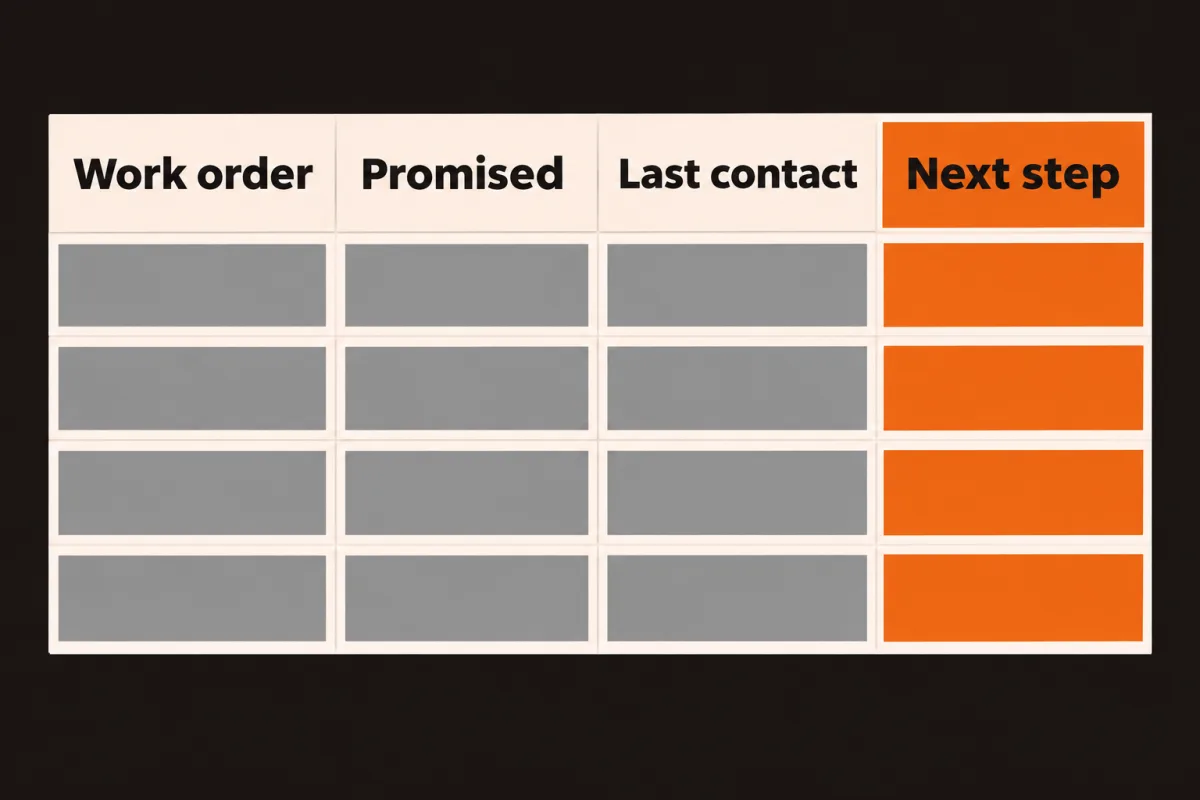
Your software can build most of this. AppFolio, Buildium, DoorLoop and Rent Manager let you filter open work orders by date and status, and some let you save the view. Save one view called overdue, sorted by priority, and make it the first thing the coordinator opens each morning. Add a field for the next date if the system allows it. The after-hours policy template covers the same discipline for night calls.
Where AI helps and where a person decides
AI is good at the sorting and the drafting. Export your open work orders with the promised date, the last note and the priority, paste the export into ChatGPT or Claude without resident names, and ask it to list every job past its date or with no movement, in order of priority. It can draft the nudge for each one, write the resident update and turn a long thread into three lines for the manager.
A person decides what to do about a vendor. Whether to give another chance, switch, pay a trip fee or tell the owner is a judgment about money and relationships. The tool cannot see your history with the vendor or the owner's patience. Do not let it promise a date to a resident that the vendor has not confirmed, or quote a repair time of its own.
Below is an export of open work orders: number, unit label, job, priority, vendor, promised date, last note date, last note. Today is [date]. List every work order that is past its promised date or has had no note for more than [your number] days, sorted by priority and then by days overdue. For each, state the likely rung on our escalation ladder (nudge, call, manager, second vendor, owner) based only on the notes, and draft the next message for that rung in three sentences. Do not promise any arrival date. If the notes do not say what the vendor said, write MISSING. [paste export]Read each draft against the notes before it goes out. The Work Order Follow-Up Agent does this pass each morning from your export.
Before you escalate
- The work order has a promised date and a priority.
- You nudged and called, and wrote down what the vendor said.
- The resident has had an update with the new date or the reason.
- You checked the approval limit and any sunk cost before you move to a second vendor.
- Any job with a legal repair clock has been checked with your counsel.
- The miss is recorded on the work order and the vendor's scorecard.
Questions
What is an overdue work order?
One that has passed a date someone promised, or has had no movement for longer than its priority allows. Set both tests in your policy so every coordinator uses the same ones.
How do you escalate an overdue work order?
Climb a ladder: nudge the vendor, call, tell your manager, line up a second vendor, then tell the owner and record it. Skip rungs only for emergencies, and update the resident at each step.
When should you replace a vendor on a late job?
When the vendor has missed a second date or the delay is hurting the resident or the property. Check the approval limit, any parts already ordered and your agreement before you switch.
Can AI find overdue work orders?
Yes, from an export of open jobs it can list the ones past their date, suggest the rung and draft the message. A person decides what to do about the vendor and what to tell the owner.